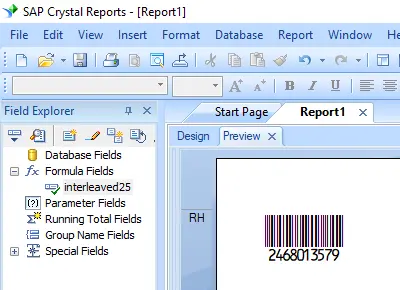
Générer des codes-barres interleaved-2-of-5
Intégration transparente avec Crystal Reports, MS Excel et MS Access


Générer un code-barres interleaved-2-of-5 dans Crystal Reports
SAP Crystal Reports 2008 / 2011 / 2013 / 2016 sont en 32 bits.
SAP Crystal Reports 2020 / 2025 sont en 64 bits.
1.1 If your SAP Crystal Reports is 64-bit, please register 64-bit cruflbcs_x64.dll as instructed below.
Cliquez avec le bouton droit sur l'invite de commande et exécutez-la en tant qu'administrateur.
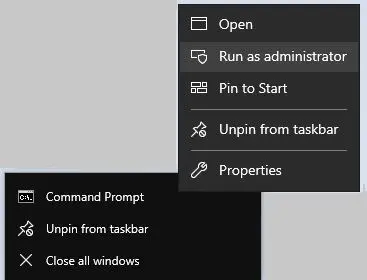
To register 64-bit DLL, please type in the following commands
                cd "C:\Program Files\Common Files\Barcodesoft\FontUtil"

                %systemroot%\System32\regsvr32.exe cruflbcs_x64.dll
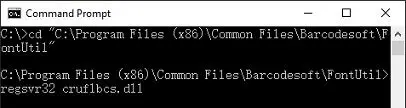
1.2 If your SAP Crystal Reports is 32-bit, please register 32-bit cruflbcs.dll as instructed below.
Type in the following commands to register 32-bit cruflbcs.dll
                cd "C:\Program Files (x86)\Common Files\Barcodesoft\FontUtil"

                regsvr32.exe cruflbcs.dll
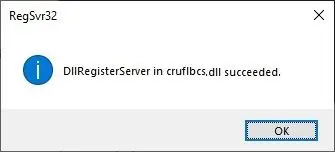
Si la fenêtre suivante apparaît, votre enregistrement a réussi.
2. Localisez la fonction UFL.
Navigate through the hierarchy: Functions List ⇒ Additional Functions ⇒ COM and .NET UFLs (u212com.dll) ⇒ Visual Basic UFLs. Double-click on the BCSLineari25 function.

3. Créer un nouveau champ de formule
Open your Crystal Report. Right-click Champs de formule and choose "New..." from the context menu. Set the name to "I25MHr", then click "Utiliser l'éditeur".

4. Use database field as parameter for interleaved-2-of-5 formula
type in the database field as parameter for interleaved-2-of-5 formula. And click "Save" button to save interleaved-2-of-5 formula field.
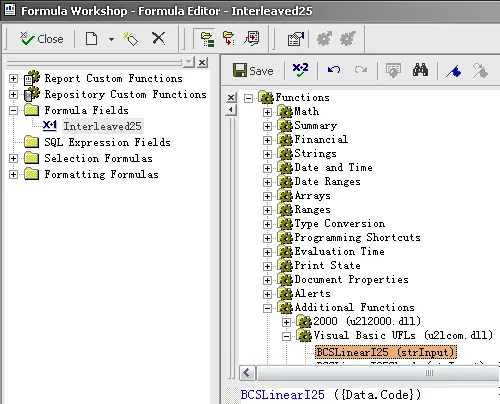
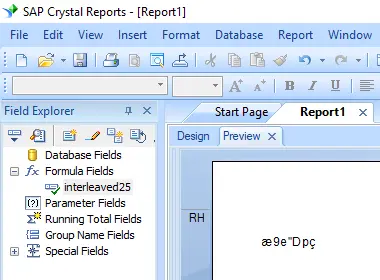
4. Drag and drop the Interleaved 2of5 formula field in your crystal report design view. You will see some strange characters in your report. Don't worry! You have NOT applied Interleaved 25 barcode font yet.
6. Apply font typeface I25MHr.
Right click Interleaved 2of5 formula field and choose "Format Object" from context menu. Then choose "I25MHr" as font.
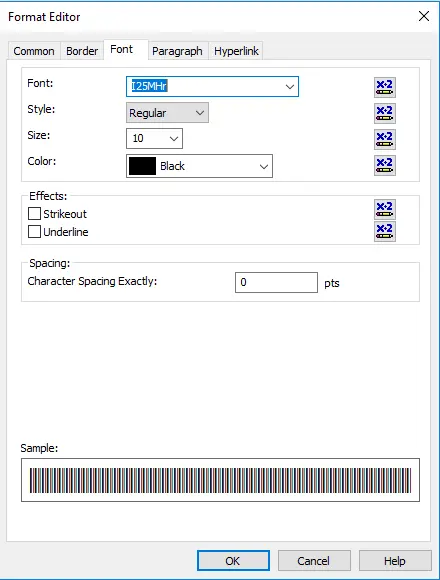
7. interleaved-2-of-5 barcode is created in your Crystal Reports.
Click OK button. You will get interleaved-2-of-5 barcode in your report.