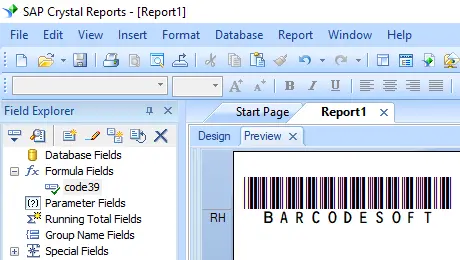
Generate code39 Barcodes
Implement seamlessly across Crystal Reports, MS Excel, and MS Access


Generate code39 Barcode in Crystal Reports
SAP Crystal Reports 2008 / 2011 / 2013 / 2016 are 32-bit.
SAP Crystal Reports 2020 / 2025 are 64-bit.
1.1 If your SAP Crystal Reports is 64-bit, please register 64-bit cruflbcs_x64.dll as instructed below.
Right click command prompt and run command prompt as administrator.
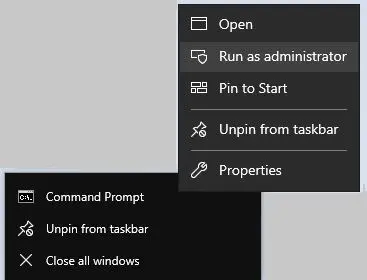
To register 64-bit DLL, please type in the following commands
                cd "C:\Program Files\Common Files\Barcodesoft\FontUtil"

                %systemroot%\System32\regsvr32.exe cruflbcs_x64.dll
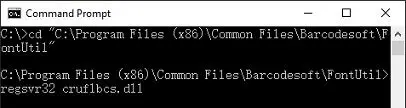
1.2 If your SAP Crystal Reports is 32-bit, please register 32-bit cruflbcs.dll as instructed below.
Type in the following commands to register 32-bit cruflbcs.dll
                cd "C:\Program Files (x86)\Common Files\Barcodesoft\FontUtil"

                regsvr32.exe cruflbcs.dll
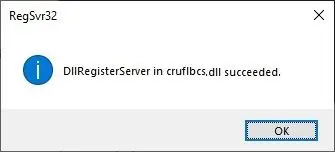
If you see the following Window pop up, your registration was successful.
2. Locate the UFL Function.
Navigate through the hierarchy: Functions List ⇒ Additional Functions ⇒ COM and .NET UFLs (u212com.dll) ⇒ Visual Basic UFLs. Double-click on the BCSLinearcode39 function.

3. Create a New Formula Field
Open your Crystal Report. Right-click Formula Fields and choose "New..." from the context menu. Set the name to "BcsCode39", then click "Use Editor".

4. Use database field as parameter for code39 formula
type in the database field as parameter for code39 formula. And click "Save" button to save code39 formula field.
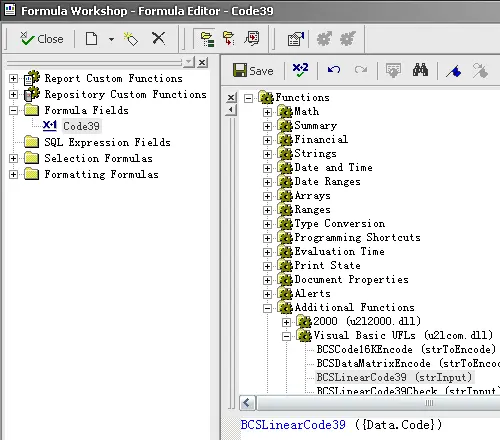
5. Insert code39 formula field in your crystal report design view.
Drag and drop the code39 formula field in your crystal report design view. You will see some strange characters. Don't worry! You have NOT applied code39 barcode font yet.
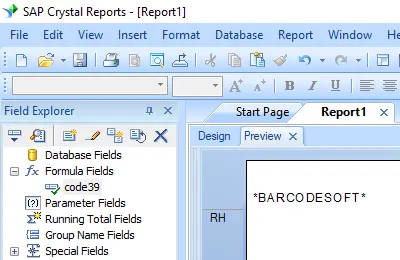
6. Apply font typeface Code39MHr.
Right click Text Object and choose "Format Object" from context menu. Then choose "Code39MHr" as font.
The package includes 14 TrueType fonts in a variety of sizes and styles:
With human-readable text: Code39XXL, Code39XL, Code39L, Code39M, Code39S, Code39XS, and Code39XXS;
Without human-readable text: Code39XXL, Code39XL, Code39L, Code39M, Code39S, Code39XS, and Code39XXS.
Each font is designed with a different aspect ratio, allowing you to select the one that best suits your application requirements.
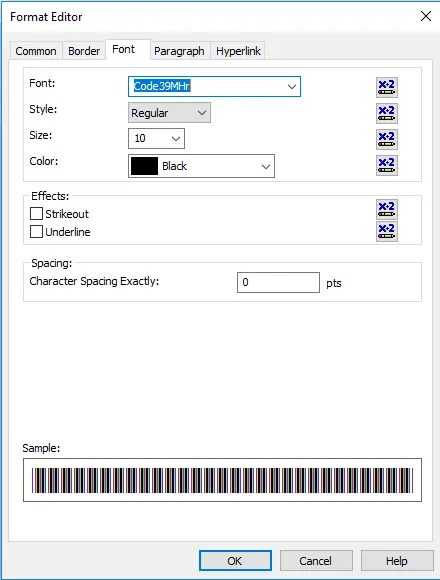
7. code39 barcode is created in your Crystal Reports.
Click OK button. You will get code39 barcode in your report.